Changelog - waiv.events

Changelog

Waiv evolves every week. Here is everything new to make your events simpler and more beautiful.

v1.6

The website editor gets a fresh start with an AI assistant, built-in design settings and image search. Waiv also becomes fully usable on mobile.

The website editor, simpler and more capable

We rebuilt the website editor around what matters: your page front and center, and an AI assistant that applies your requests right before your eyes.
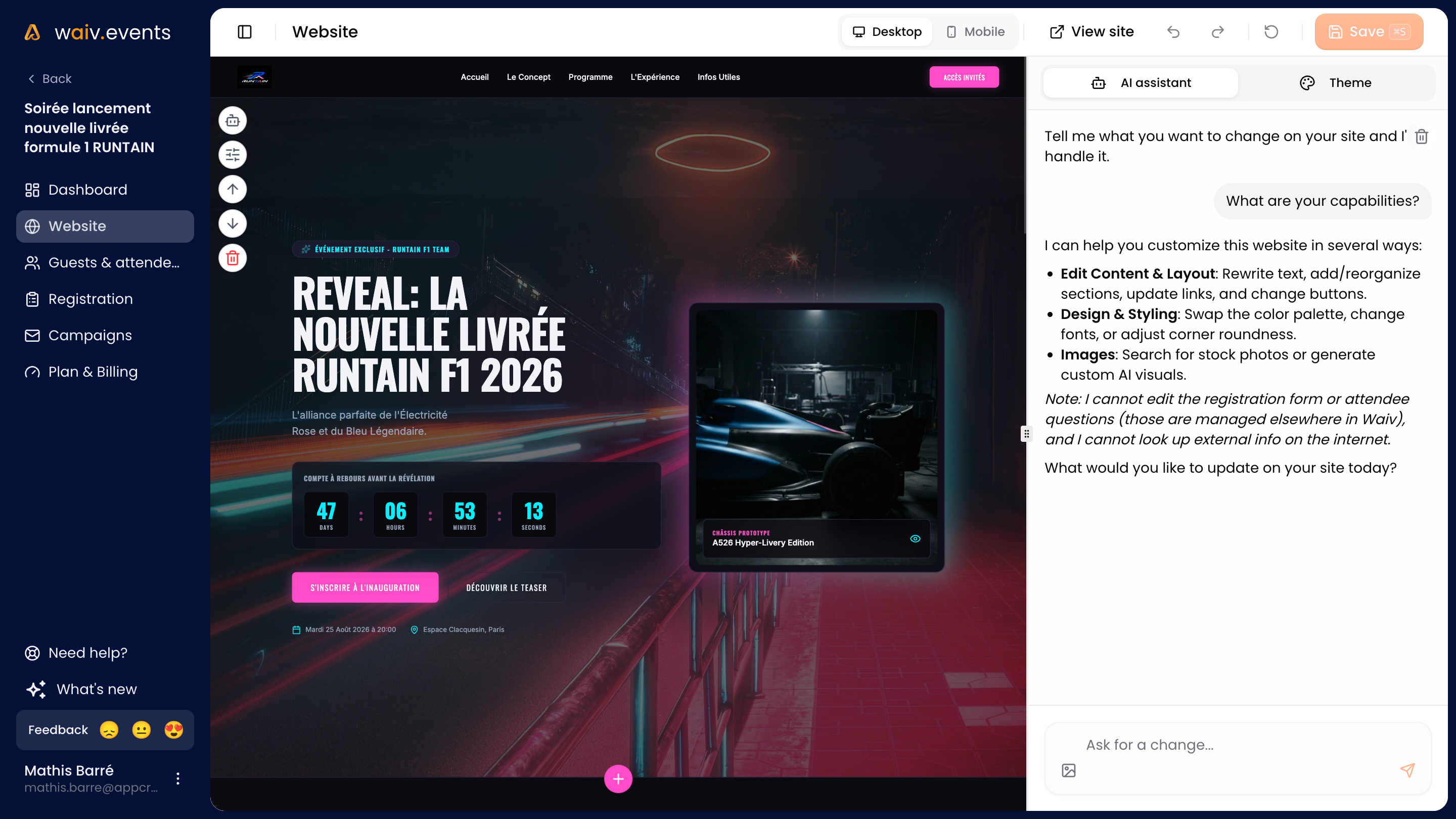
The Waiv website editor with the AI assistant open next to the site preview

  • A built-in AI assistant. Describe the change you want and it edits your site directly, one section or the whole page.
  • Manual editing, still there and nicer to use. On desktop, click any element in the preview to edit it yourself. We reworked this direct editing to make it simpler and smoother.
  • Design settings in one place. Colors, corner radius and fonts now live inside the editor. The font picker renders each font in its own typeface, so you can choose at a glance.
  • Effortless text formatting. Bold, italic, links and lists are edited visually, just like in a word processor.
  • Images found in seconds. The image field offers ten formats suited to each spot, plus built-in Unsplash search.
  • Icons in your language. Icon search now understands all six Waiv languages.
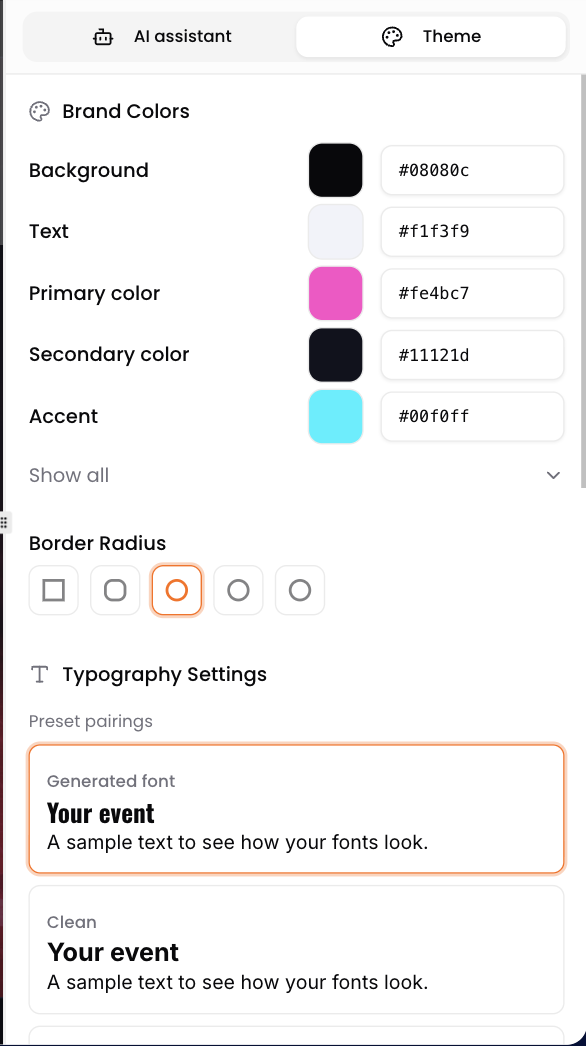
The editor's Theme panel with colors, border radius and font choices

And if your site generation runs into trouble, no need to start over: simply retry it, your event stays accessible in the meantime.

Help and feedback, right in the app

A question, an issue, an idea? A new button in the sidebar lets you write to us directly from Waiv, without leaving your work.
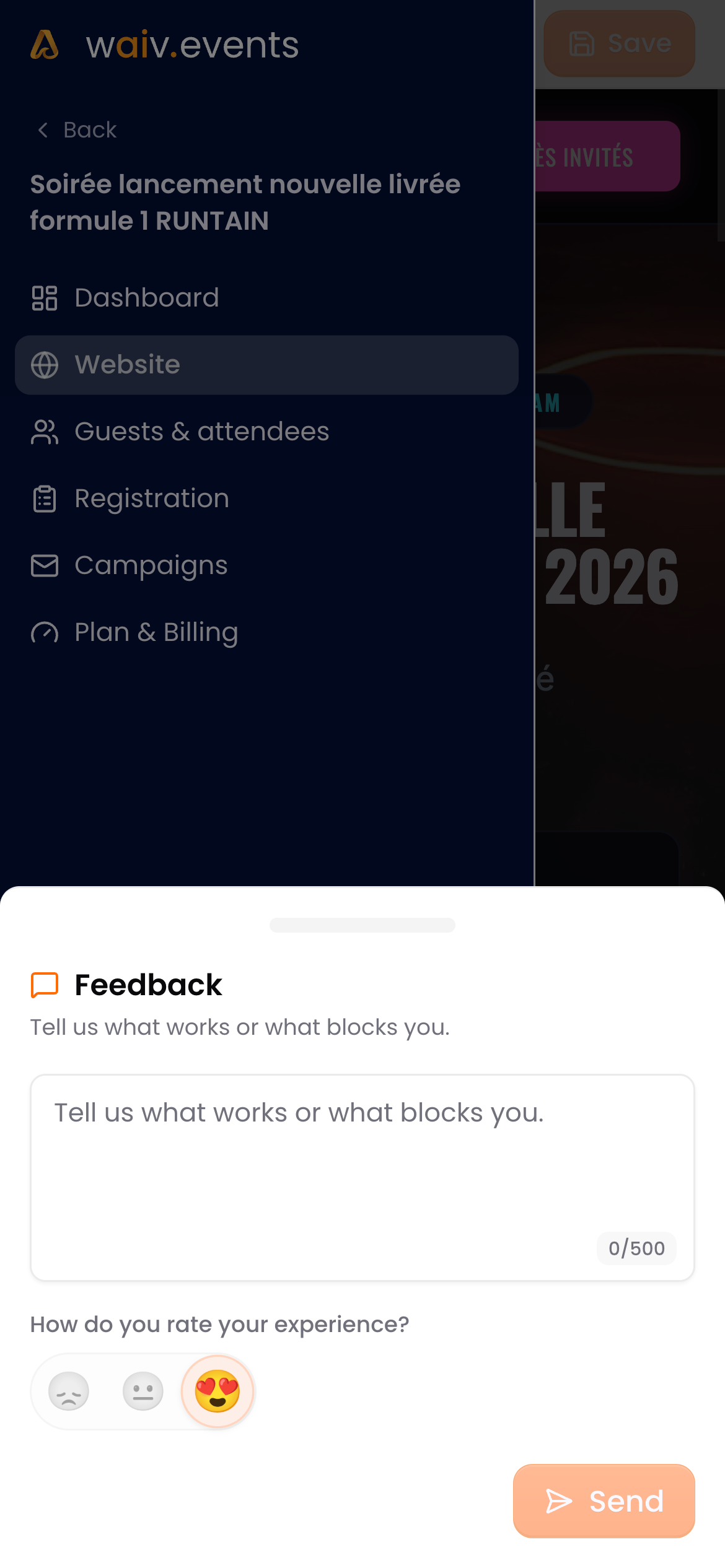
The Waiv feedback form with an emoji mood rating

For support requests, you can attach a replay of your session and allow an email reply: our team sees what you see and gets back to you faster.
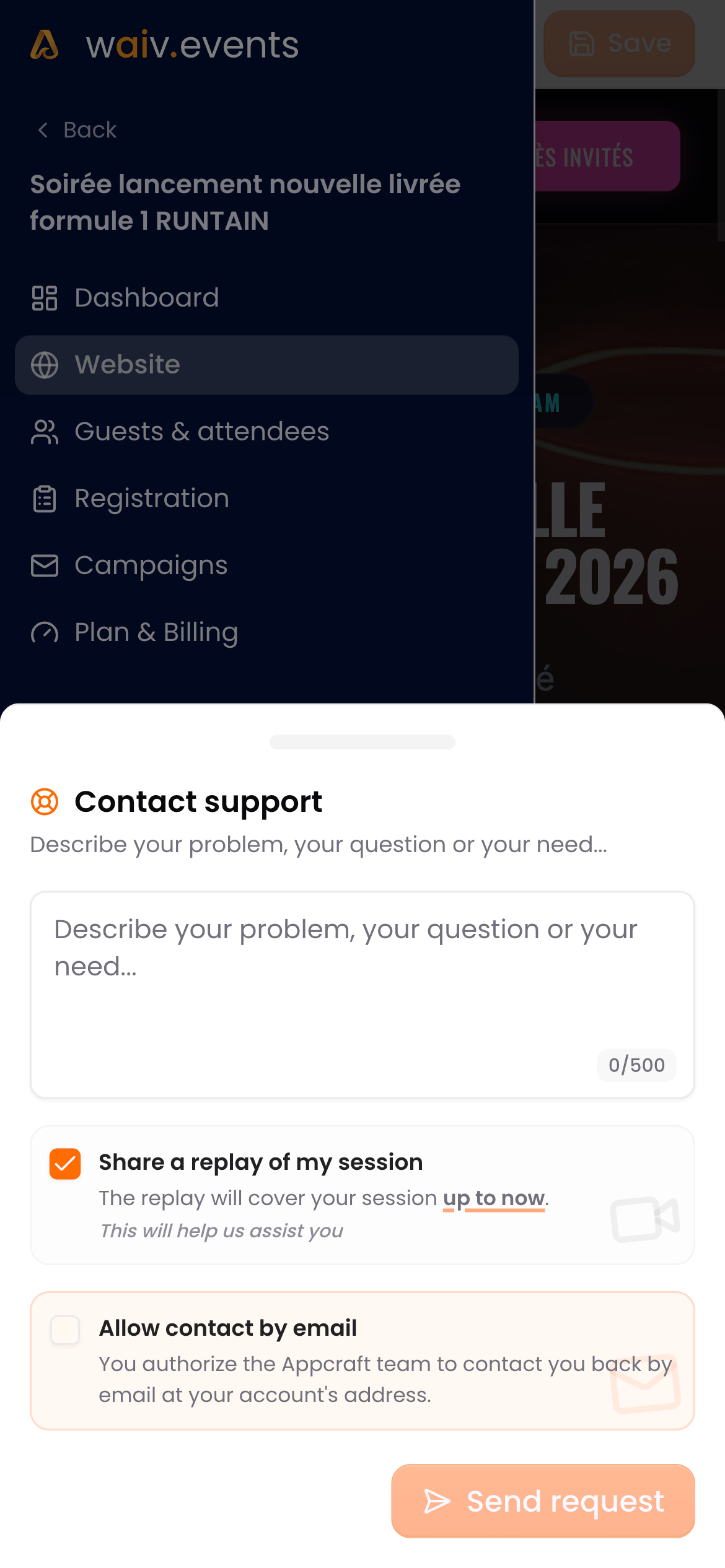
The contact support form with session replay sharing

Waiv on mobile

Waiv is now fully usable on your phone. Check your websites, emails and registration forms wherever you are, and edit them with the AI assistant, one tap away.
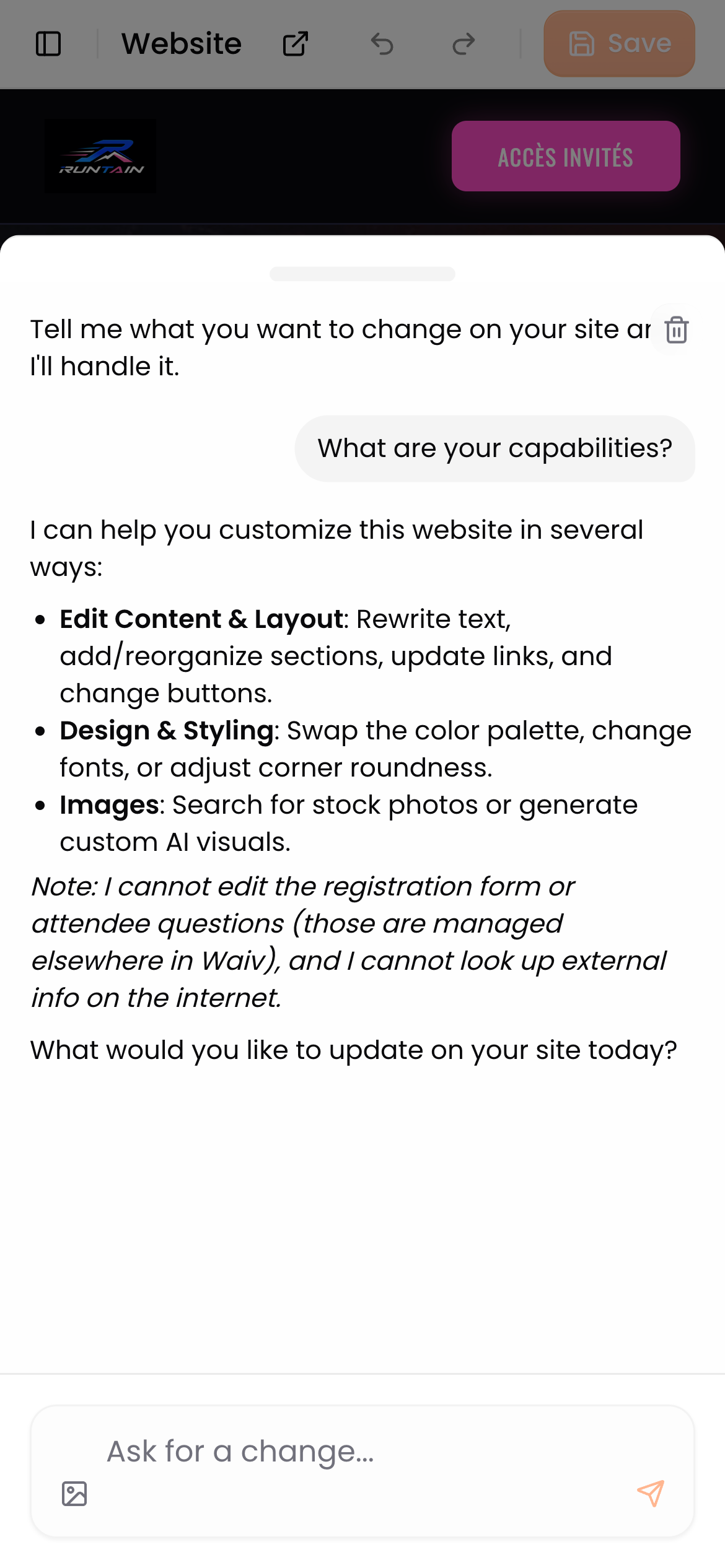
The website editor's AI assistant open in a drawer on mobile

A brand new changelog

You are looking at it! This page gathers every Waiv update, release after release, with a direct link from the login screen.
v1.5

A powerful AI assistant for your emails, website generation that respects your event theme and a polished registration form.

Email editing, completely reworked

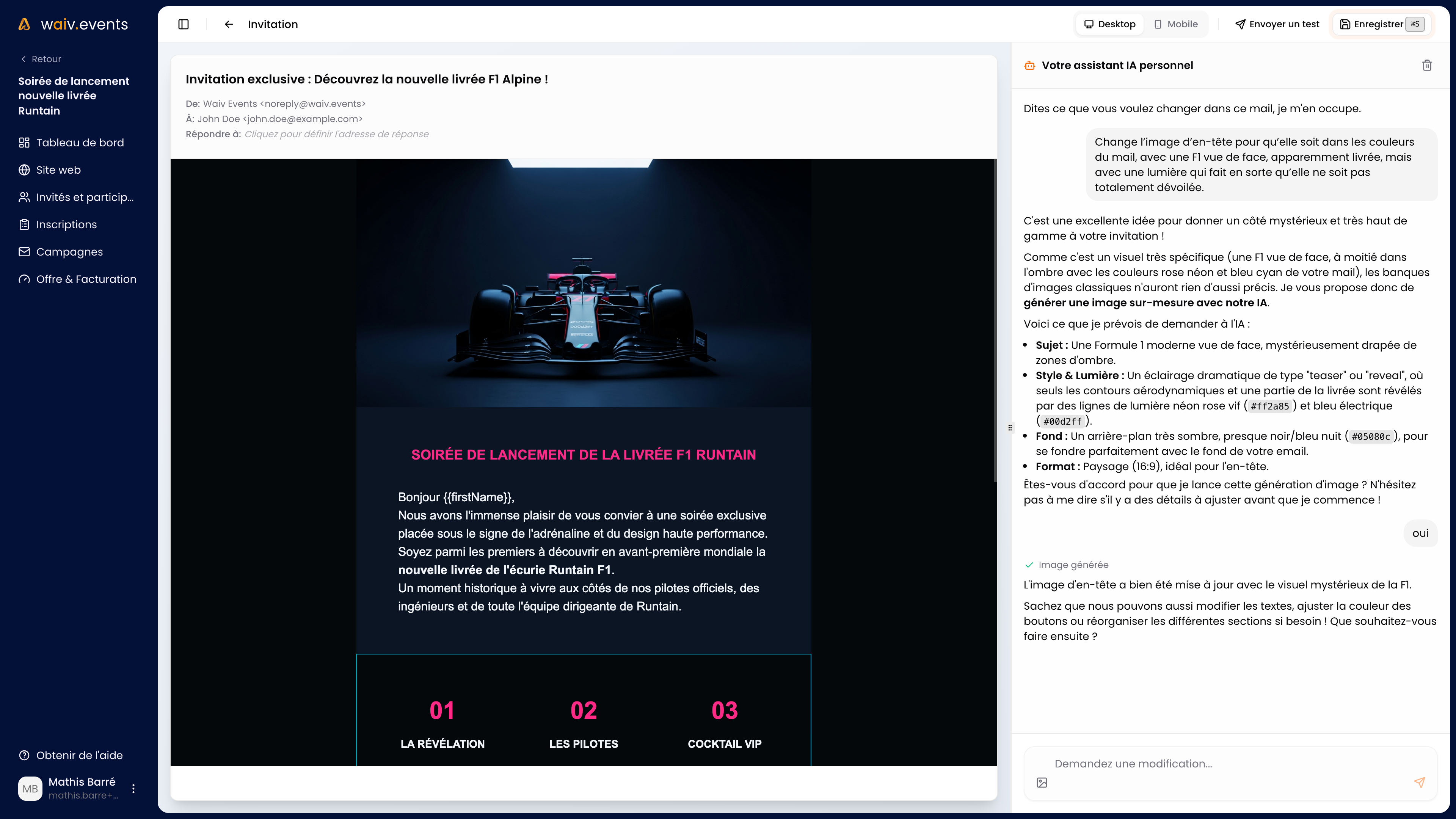
Creating and editing your event emails is now simple. We removed the editor's complexity and added a powerful AI assistant. Describe what you want, it takes care of the rest.

Waiv email editor interface featuring the AI writing assistant

Redesigned website generation

  • Design proposals are easier to read so you can choose at a glance.
  • Your event theme is taken into account for a rendering that truly matches your universe.

A polished registration form

  • Perfectly readable in dark theme
  • Smooth scrolling, no glitches
  • No more accidental closing when submitting

Also in this release

  • Your participants' status is now consistent everywhere in the app.
v1.4

Interface fully translated into 6 languages, clearer error messages, fixed website previews and a polished dark theme.

A fully translated interface

Waiv is now available in 6 languages: French, English, German, Spanish, Italian and Portuguese. The interface is fully translated, with no missing text.

Error messages that actually help

Login error messages are clearer, translated, and tell you exactly what to do to fix the problem.

A more faithful rendering

  • Your event website preview shows up again in your workspace.
  • Your custom fonts finally apply on the live website.
  • Dialog windows are perfectly readable in dark theme.

Also in this release

  • Stronger login security and improved homepage search ranking.
v1.3

Varied, animated brief examples to get started faster, plus private internal notes on your participants.

Start faster with brief examples

Blank page syndrome when describing your event? Waiv now offers varied, animated brief examples when you create an event. Pick the one that fits you and it gets analyzed instantly to kick off your project.

Internal notes on your participants

You can now add an internal note on each participant. It is visible only to you, never to the participant. Handy for keeping context: dietary needs, VIP status, special requests.

Also in this release

  • Draft events are excluded from search engines to protect your sensitive information.
v1.2

Your emails now display correctly for every participant, your drafts stay private and signing up is smoother.

Emails that look right, everywhere

An automatic correction system now checks your emails before they go out. No more disappearing text or broken layouts depending on the recipient's inbox.

Your drafts stay private

Draft events no longer appear in Google results. Your projects remain confidential until you decide to publish them.

Also in this release

  • "Organization" replaces "Company" across the interface. Associations, public institutions and individuals are at home on Waiv.
  • Direct access to the signup page works perfectly again.
v1.1

Waiv gets a fresh look with a redesigned homepage and improved AI generation for your event websites, emails and forms.

A brand new homepage

Waiv has a fresh new face. The homepage has been fully redesigned to show more clearly what Waiv does for you: turning a simple brief into a complete event setup.

Next generation AI

The heart of Waiv just got an upgrade. Your event websites, emails and forms are now generated with a more capable AI model.

In practice, this means:

  • Event websites that better match your universe
  • Cleaner layouts from the very first generation
  • More accurate copy, with fewer edits needed

Also in this release

  • More stable deployments and stronger security behind the scenes