
v1.8
Control who sees your event site, and how it looks when shared
A new Reach menu lets you choose your site's visibility, customize its address, and set how it appears on Google and social networks. Event creation also gets a clearer creative direction and better error handling.
Choose who can see your site
The website editor gains a Reach menu that brings together everything about your site's visibility.
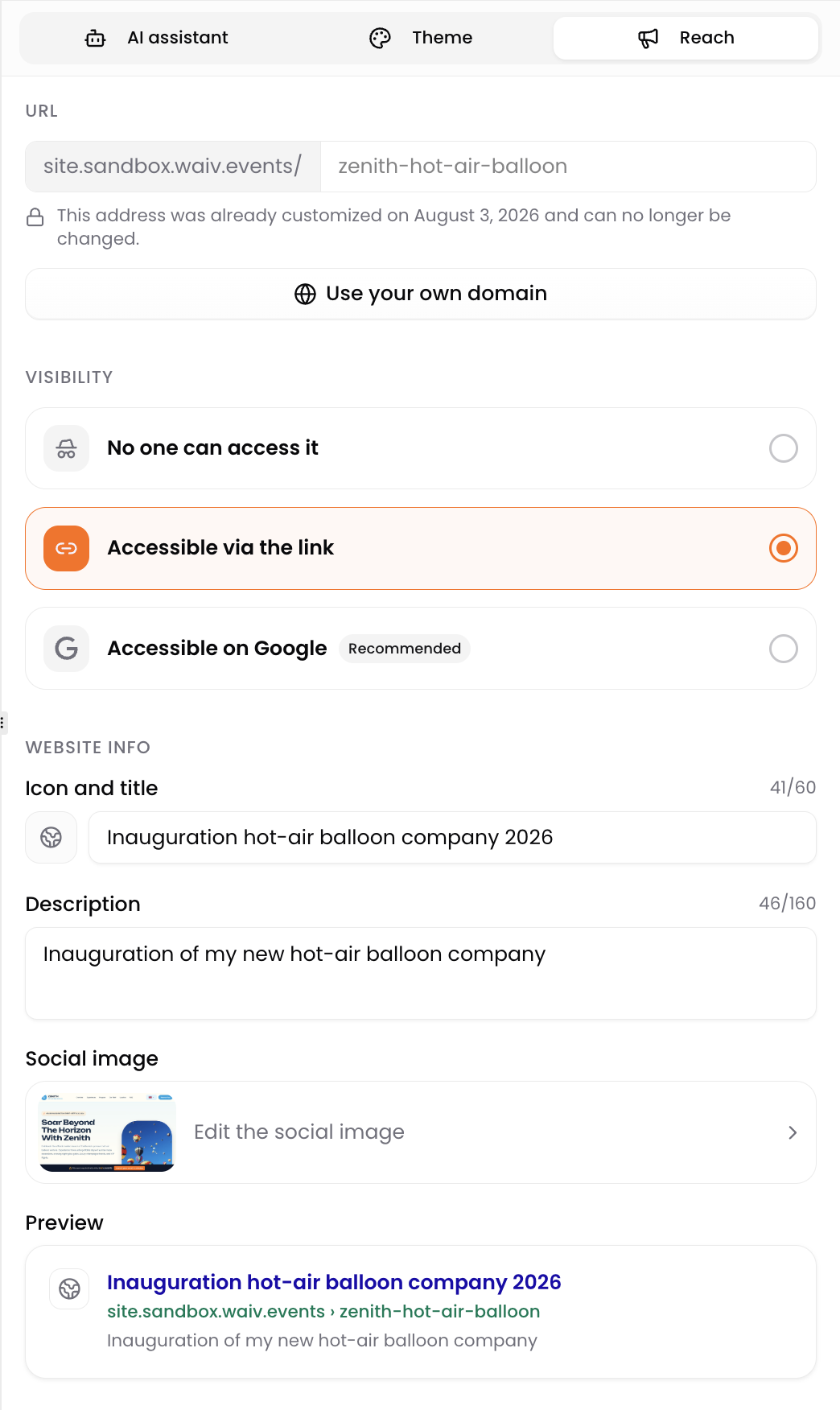
- Three clear levels. Keep your site private while you work on it, make it accessible to anyone with the link, or let it be found on Google. Each level explains exactly who can reach your site.
- Your own address. Customize the address of your event site instead of keeping the generated one. The change is permanent, so we now warn you clearly before saving: the previous address stops working, and links or QR codes already shared no longer point to your site.
- Custom domains are coming. You can tell us you are interested, and we will let you know when they launch.
Search engine indexing and address customization are available on paid plans.
Make a better first impression
The same menu controls how your site looks outside of itself.
- Site icon. The icon shown in browser tabs and search results. We can fetch it from your brand or take it from your site.
- Social image. The image displayed when your site is shared on social networks or in messaging apps, with a screenshot of your site used as a starting point.
- Live previews. See how your event appears in a Google result and in a shared post before saving.
Event creation that goes further
- A creative direction that carries through. The design you pick now carries its mood, visual style and color intent all the way to your site's content and to the AI assistant, for a more coherent result.
- Real reasons instead of a generic error. When a generation fails, you now get an explanation of what happened and what to do next, at every step of creation.
- No more lost progress. Creation is more resilient: reloading or coming back to the flow no longer starts a second event, and an interrupted step recovers on its own.
A cleaner page for broken links
Visitors landing on an address that no longer exists now get a proper page instead of a bare error.